Year
Client
Industry
Service
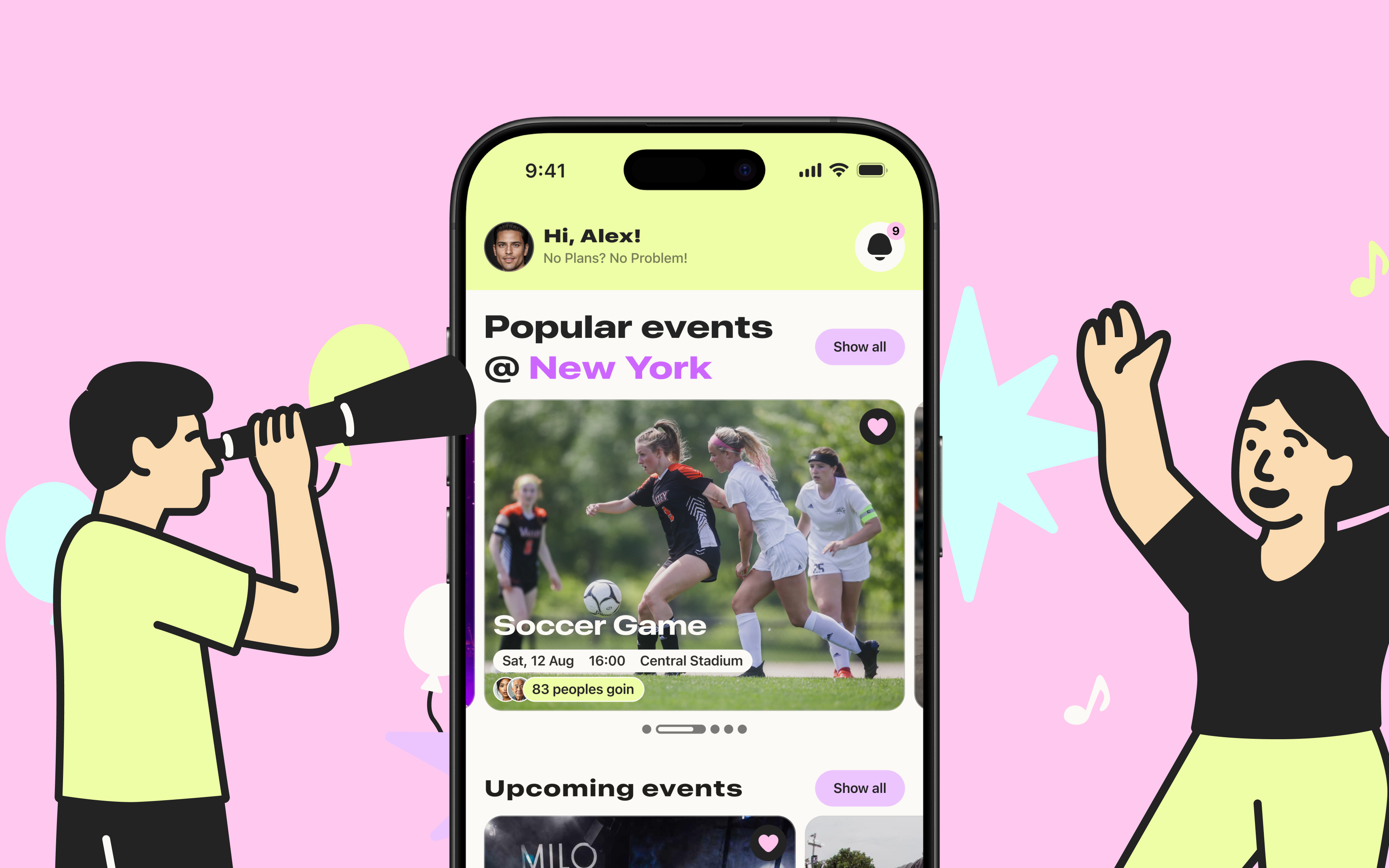
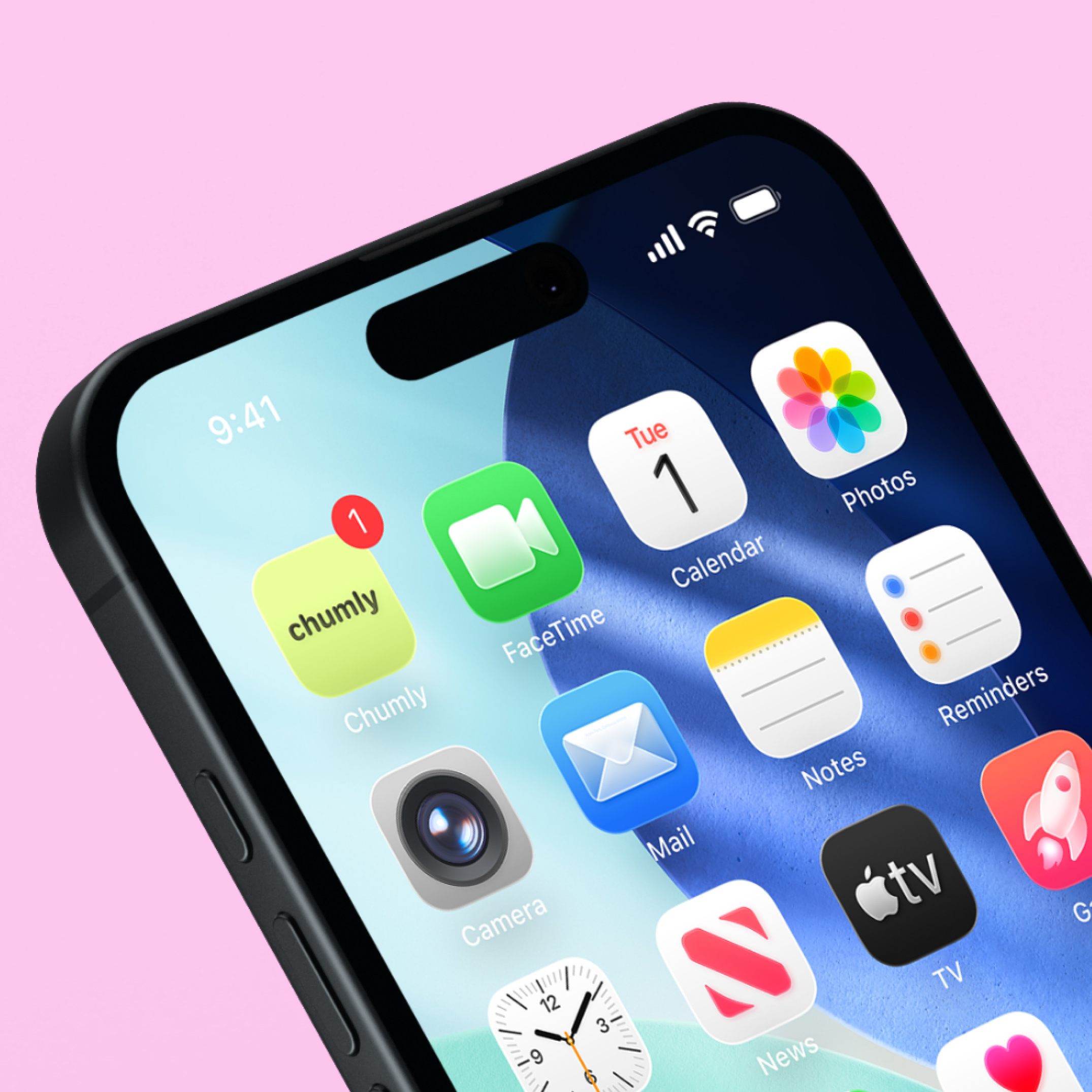
Design a mobile app experience for Chumly, a hyperlocal social platform where people can create and join casual local activities (e.g., coffee, board games, trivia, park games). The scope included defining the core user experience through persona analysis, a customer journey map, and a user flow, then designing key product surfaces such as the Home screen (popular/upcoming events + user’s organized/attended events), Event details, Sign-in/Registration (with optional use and 2FA), and in-app messaging/event chat
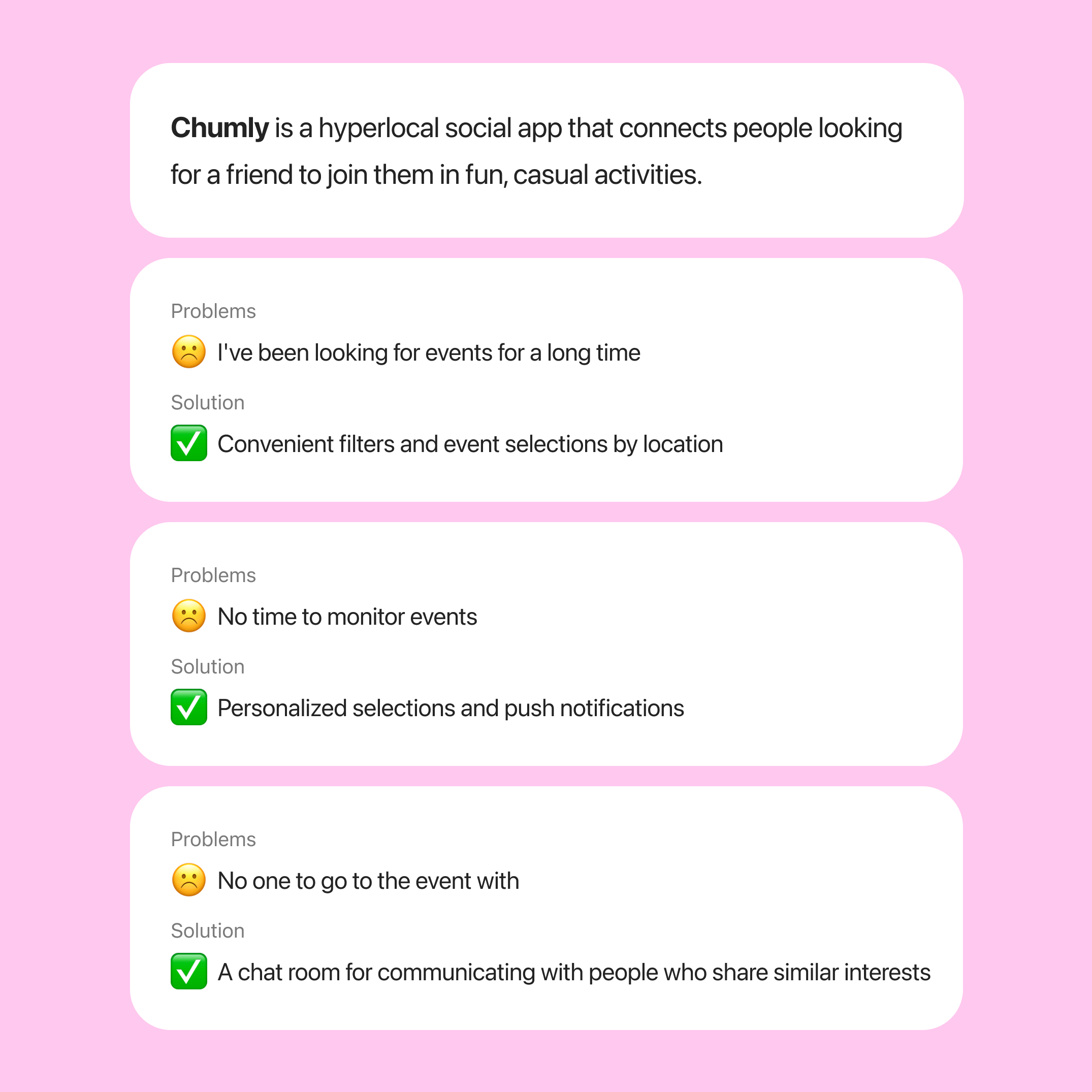
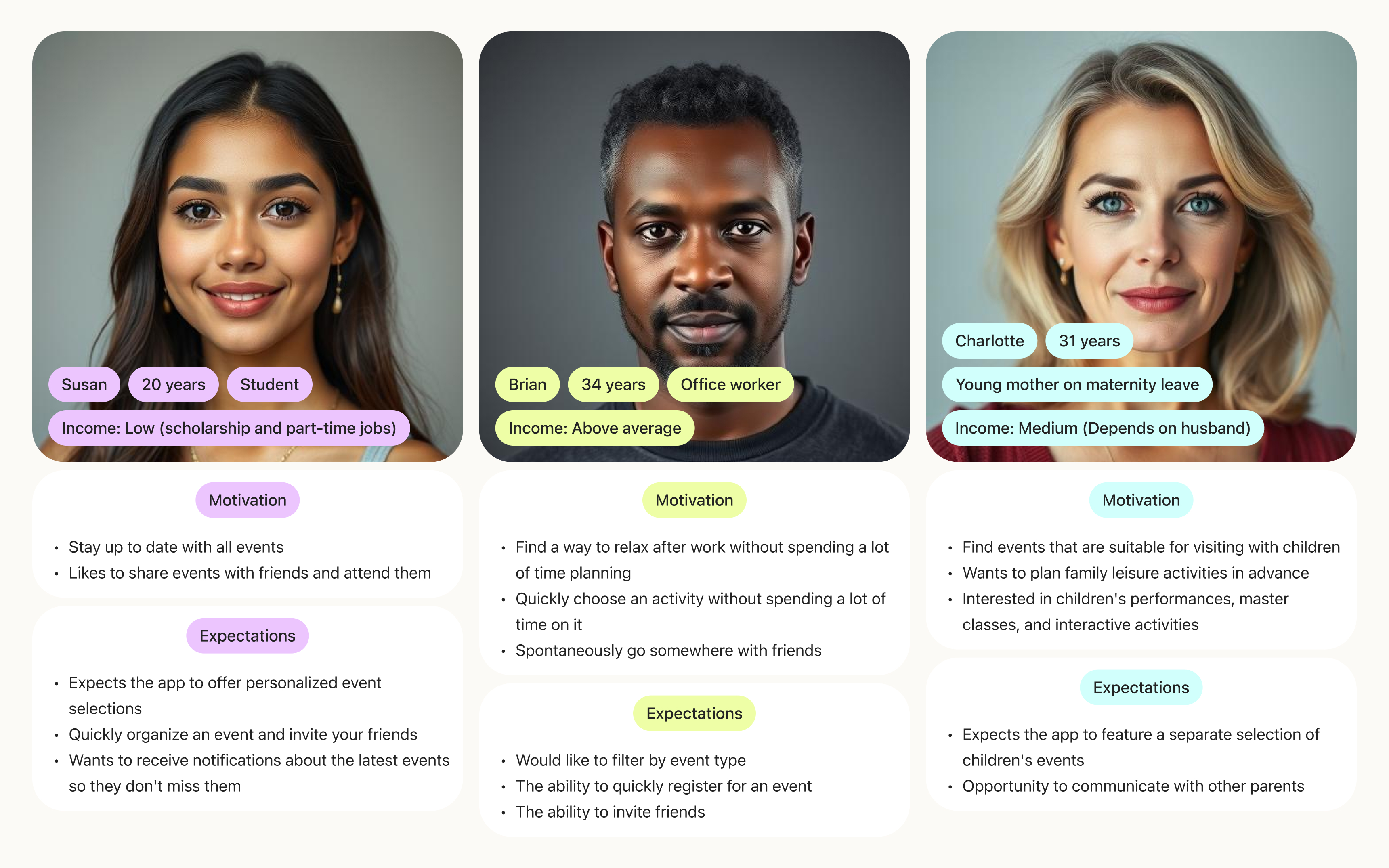
To gain an understanding of who would use the application, an analysis of potential users was conducted.
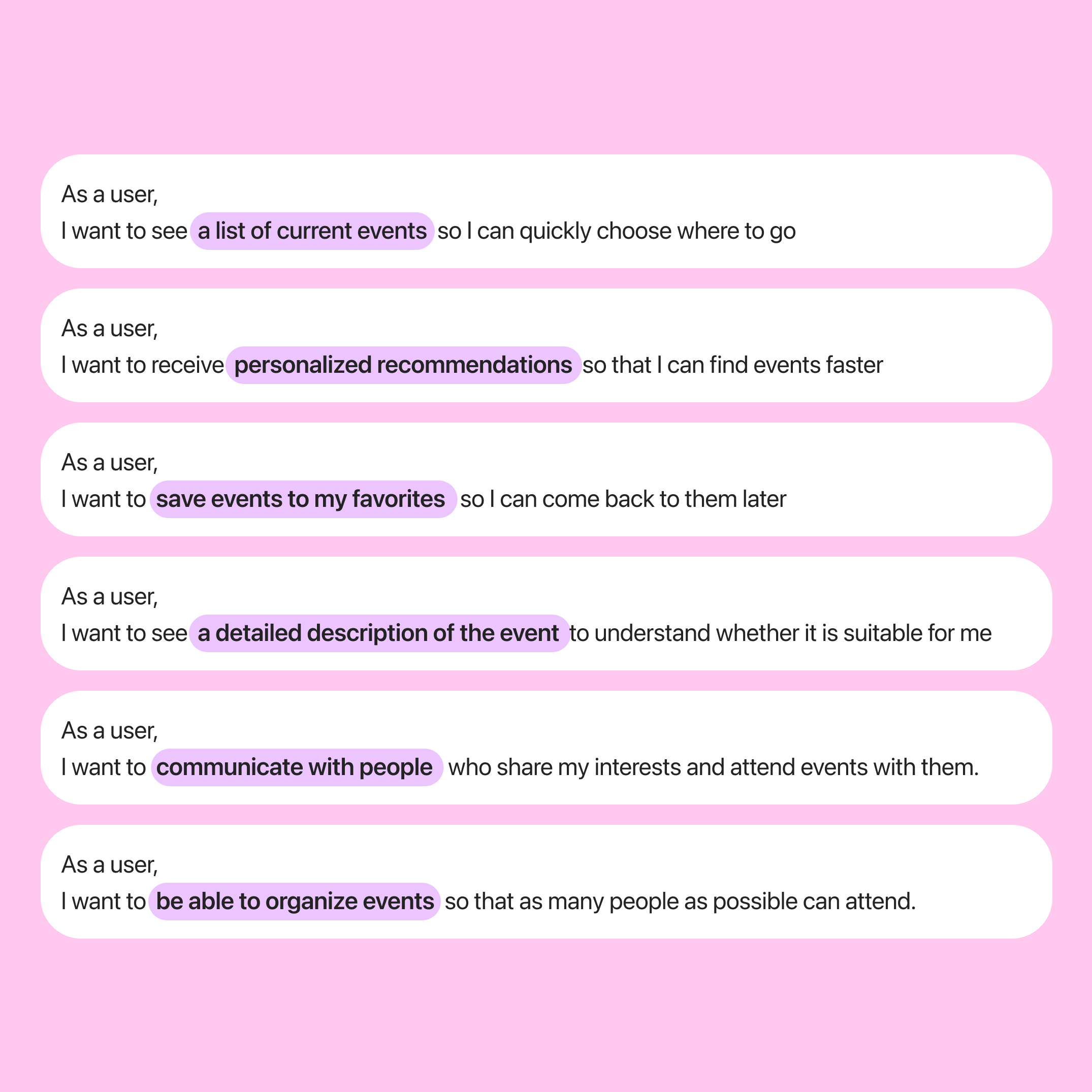
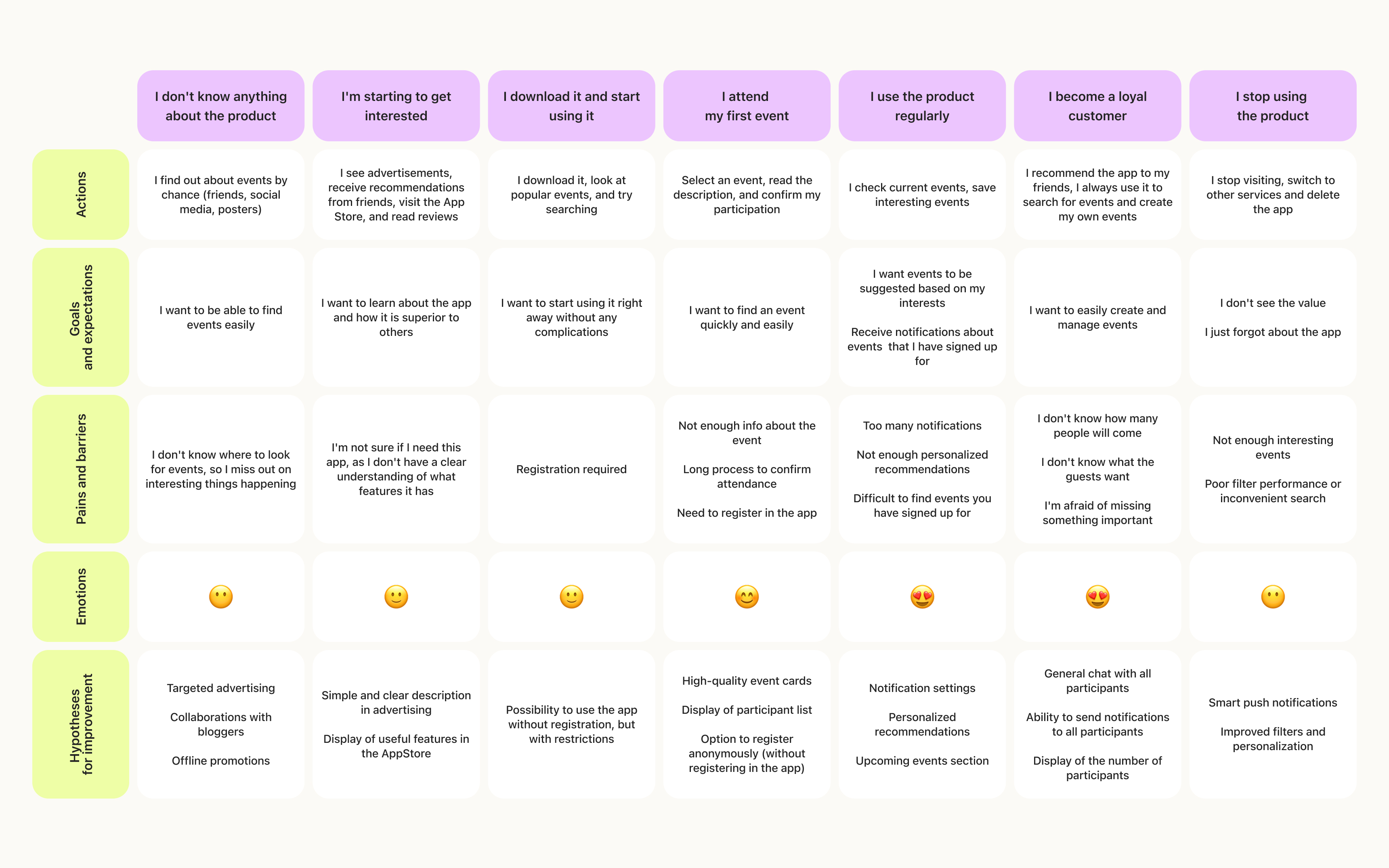
To see how users interact with the app from their first encounter to loyalty, a CJM was compiled.
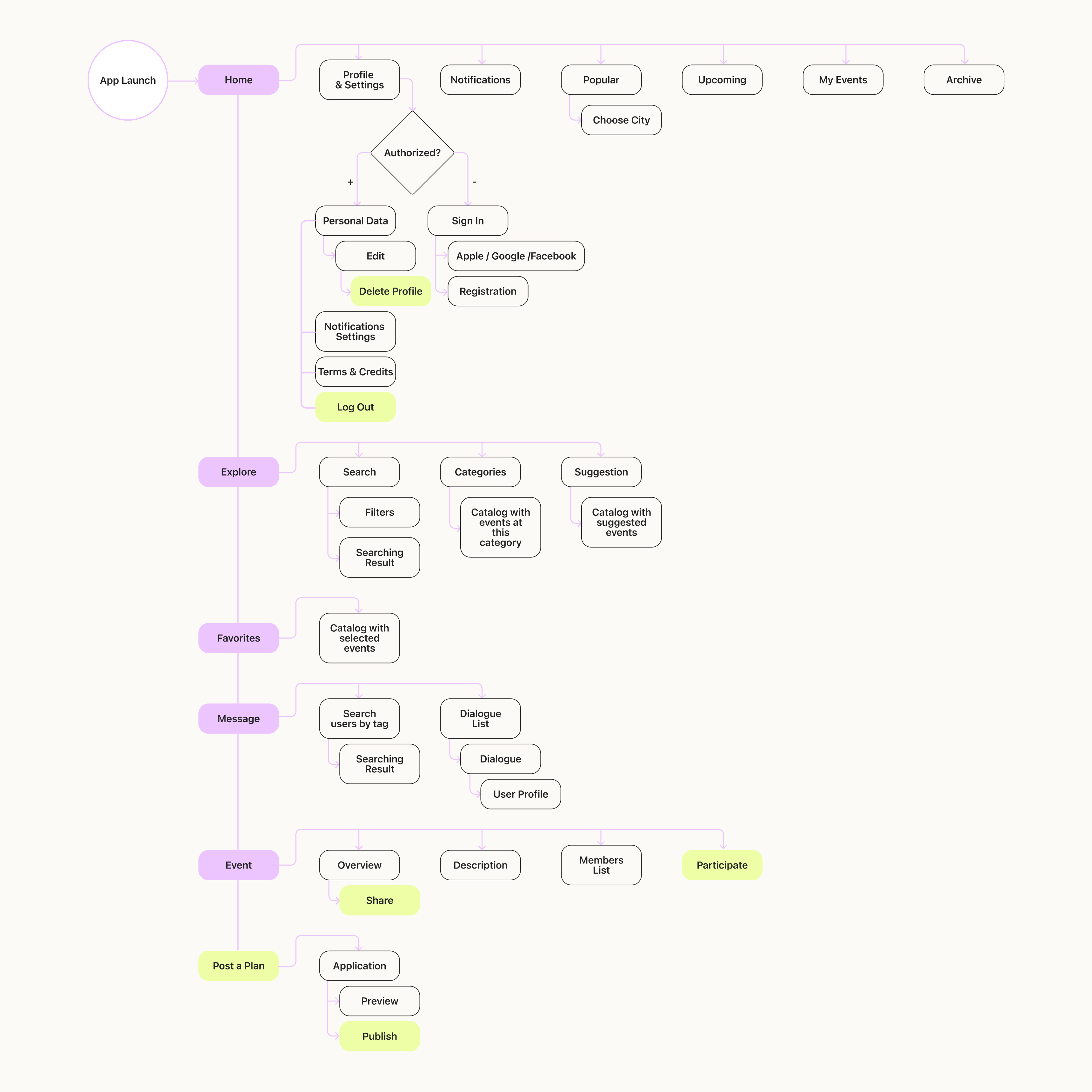
To determine how users will interact with the application, a User Flow diagram was created.
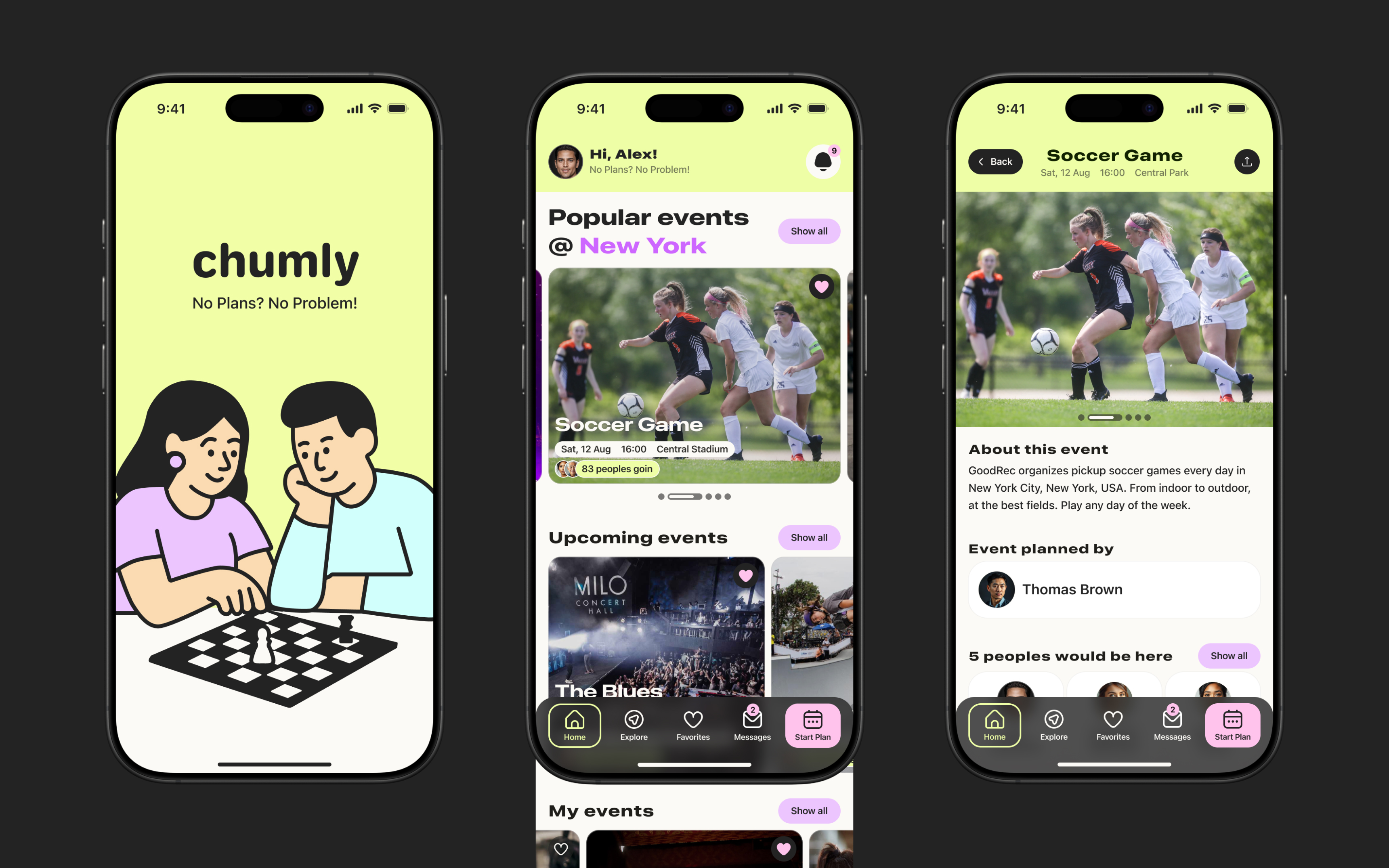
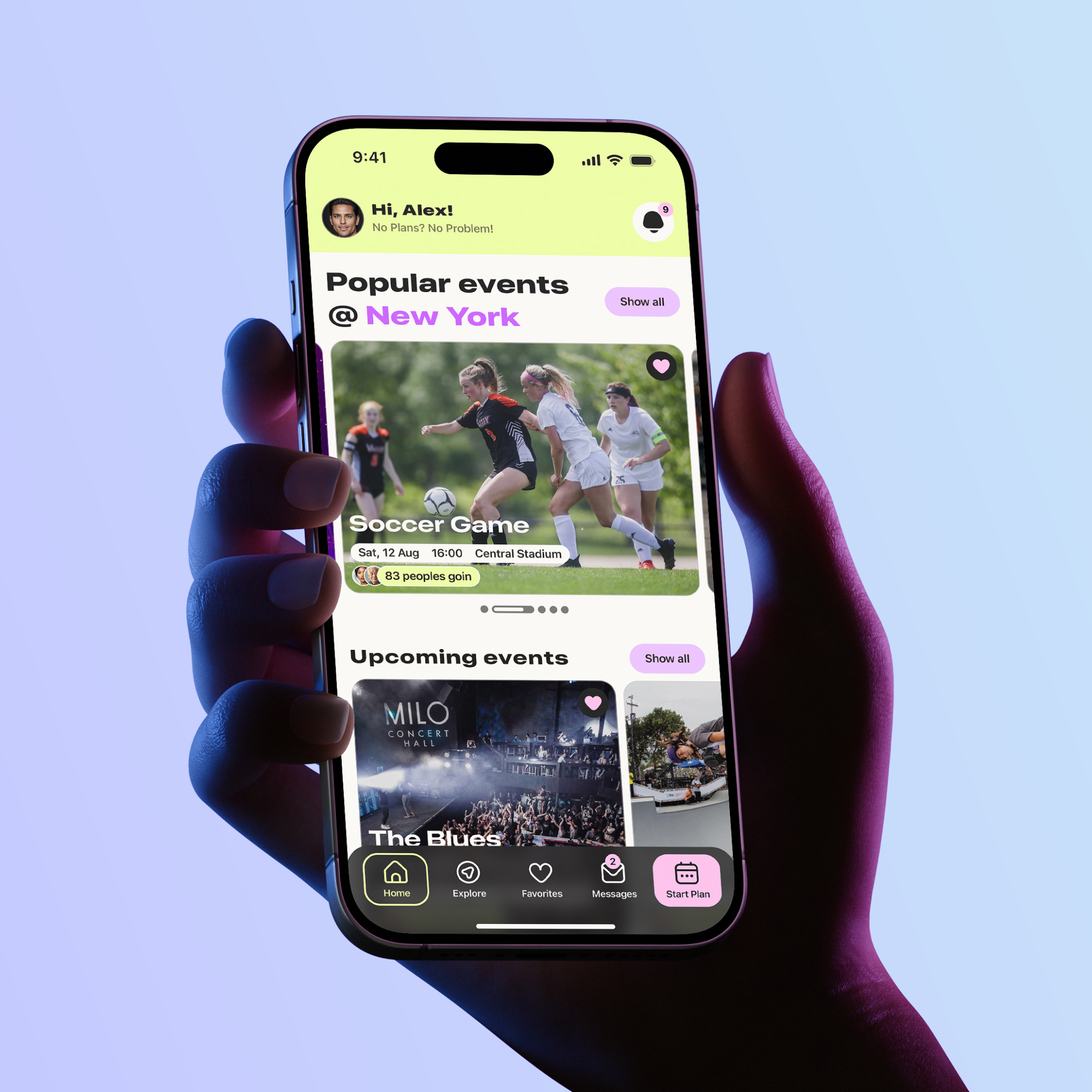
The main screen of the app, which displays information about popular events and upcoming events
On this screen, users can also find events they are organizing and view events they have already attended
Event screen displays all information about the event, including the organizer and the opportunity to meet the participants
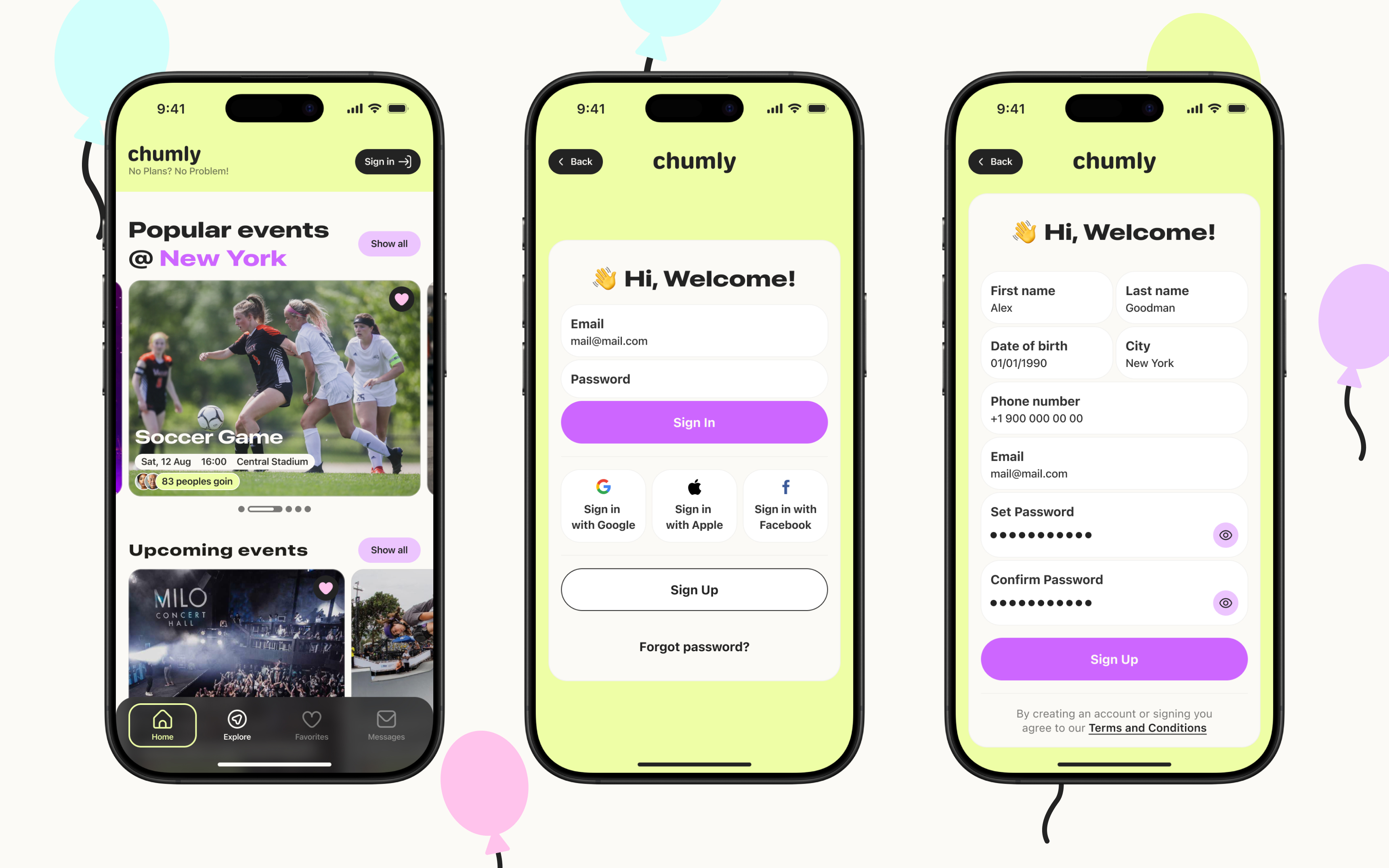
The app does not require registration to use, but without authorization, functionality will be limited to searching and viewing events
It is also possible to create an account without using third-party services. To do so, simply fill out the registration form and complete two-factor authentication.
Users can log in using their email address and password or via third-party services. If the service account has not yet been used to log in, a Chumly account will be automatically created based on data from third-party services.
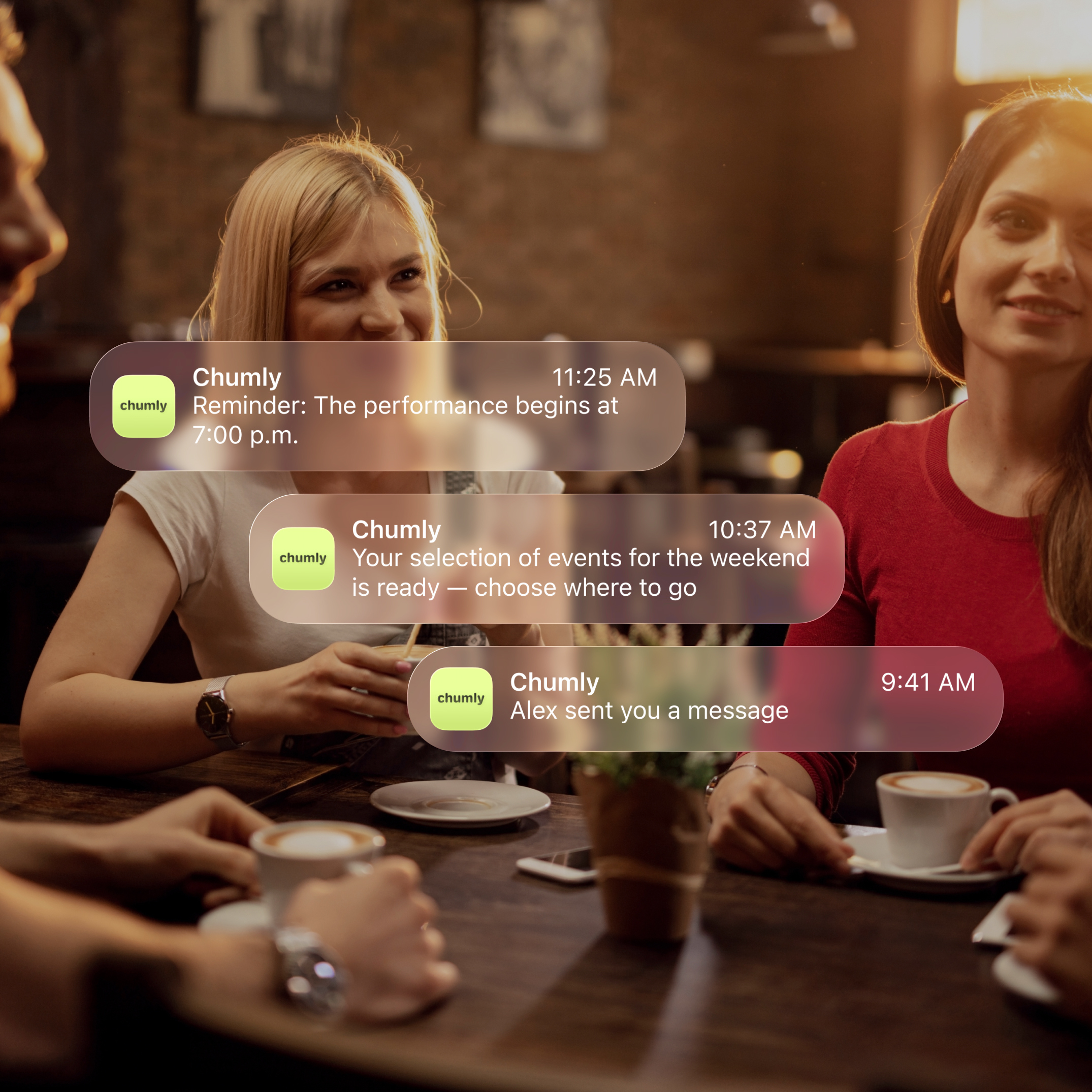
The ability to communicate with users deserves special attention. When a user clicks “Participate,” they are automatically taken to the event chat room, where they can get to know the other participants in advance.
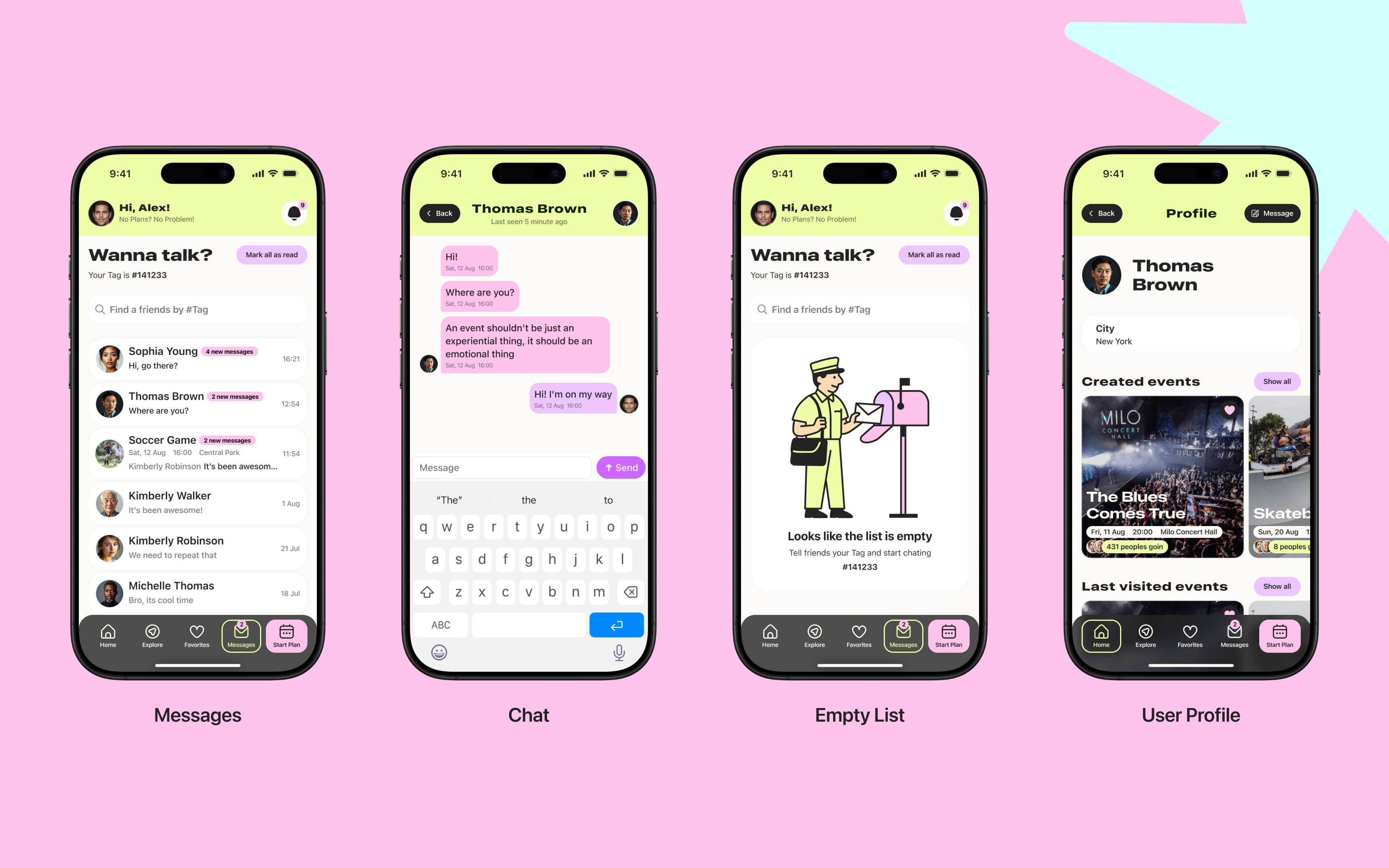
To complete the user experience, numerous screens were created, including a search page with filters, an event creation page, and components that respond to user actions.
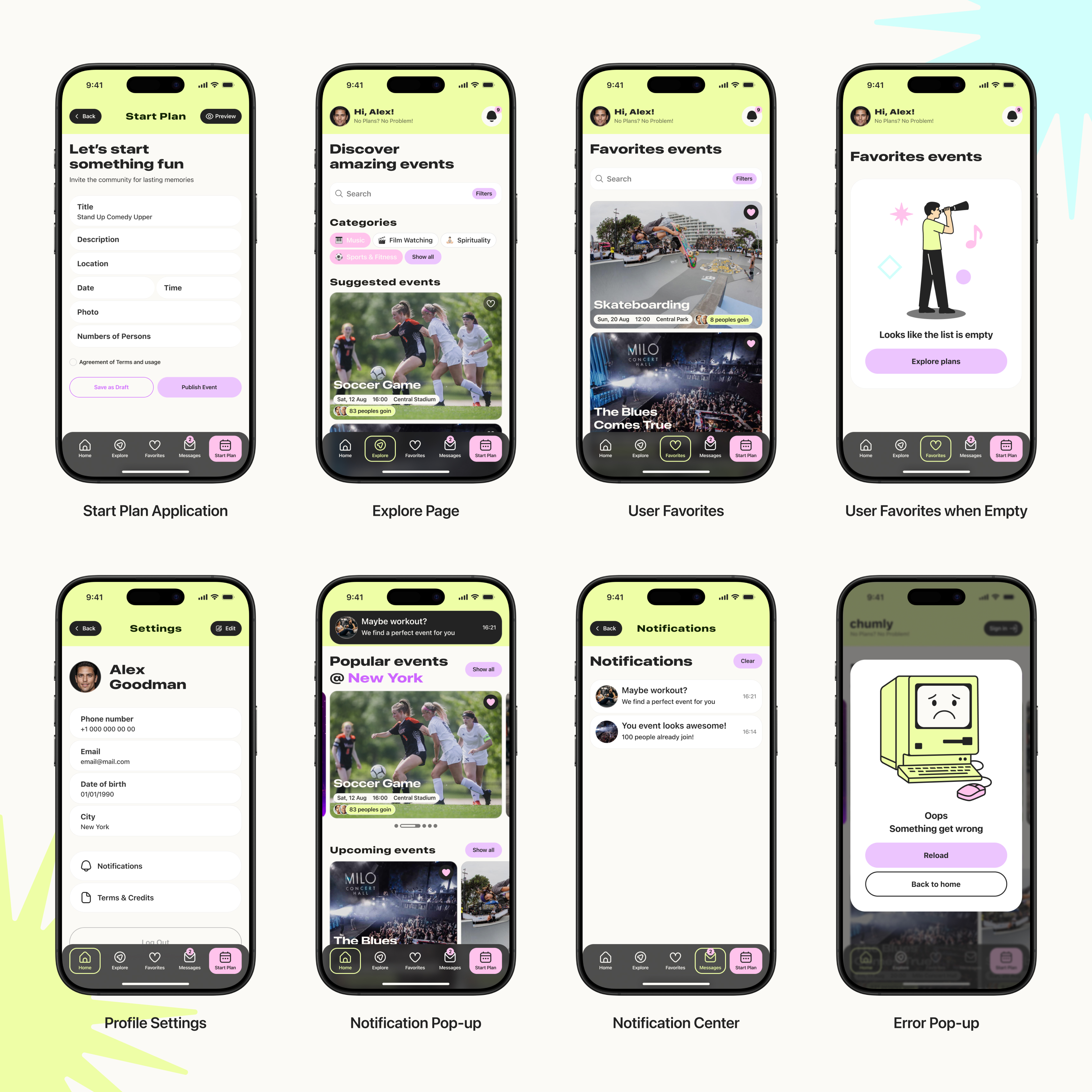
Delivered a complete, end-to-end mobile UI design that covers the full discovery → participation → communication loop: users can browse and view events without mandatory registration, access detailed event information (including organizer and participants), and are routed into an event chat automatically after tapping “Participate” to coordinate with other attendees. The work also included additional supporting screens such as search with filters, event creation, and interactive components to round out a consistent product experience.